
How to rename Moodle courses without admin rights: A practical guide
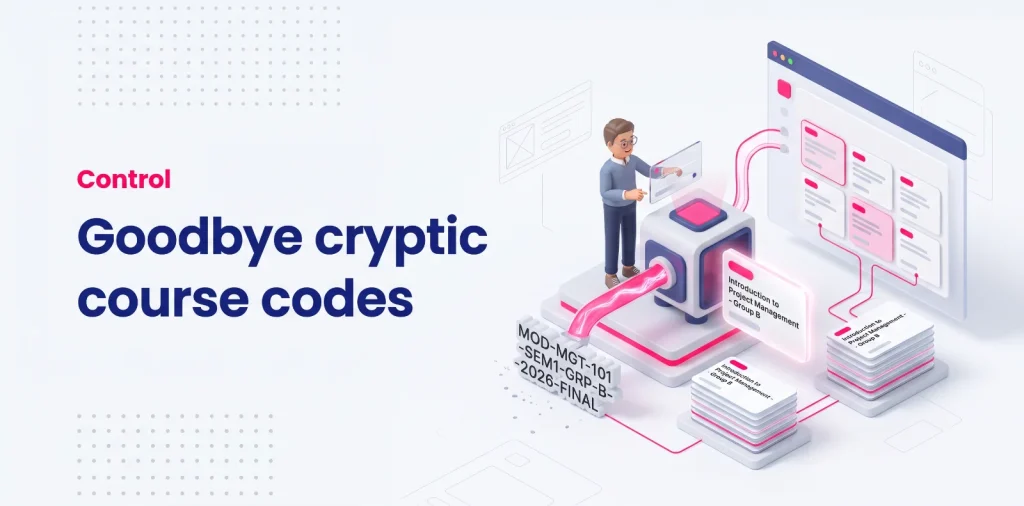
Course titles on institutional Moodle platforms rarely match how educators think about their classes. Instead of clear, human-readable labels like Introduction to Project Management – Group B, teachers and instructors often face automated strings generated by institutional databases, such as MOD-MGT-101-SEM1-GRP-B-2026-FINAL.
This naming structure is not accidental; it is a technical necessity for registrar offices, school administration, automated Student Information System (SIS) synchronizations, and official records. However, for an educator managing several parallel tutorial groups or client cohorts with nearly identical codes, this administrative rigidity creates persistent friction and a very real risk of posting assignments, announcements, or exam answer keys to the wrong group.
While Moodle restricts course title modifications at the platform level to protect institutional data integrity, educators can adopt practical naming frameworks to navigate these codes safely, and use modern browser-level display layers to restore daily teaching clarity without altering server records.
The reality of institutional Moodle course names
Understanding why course titles look the way they do is the first step toward working efficiently within an institutional learning management system. Far from being a random oversight, standard course labeling reflects the complex administrative architecture that connects Moodle to school-wide databases.
Why educational institutions enforce rigid, cryptic course codes
Educational institutions, corporate training academies, and higher education establishments operate at a scale that requires strict standardization. When an organization delivers hundreds or thousands of active teaching spaces every term, naming conventions must serve accounting, compliance, and academic tracking simultaneously.
To ensure uniqueness across departments, administrative teams construct identifiers containing department abbreviations, module numbers, academic years, semester terms, and cohort letters. While a human teacher reads a course by its practical subject, the institution must guarantee that no two course shells share an ambiguous label in central records.
This results in sprawling codes where the essential subject name is often buried behind a wall of prefixes and numerical suffixes. For teachers who need to identify their classrooms instantly, scanning through dozens of structured codes introduces continuous friction into their daily preparation routine.
How automated SIS and ERP synchronizations lock course titles at the server level
In modern educational setups, Moodle rarely exists as an isolated platform. It is systematically integrated with external Student Information System (SIS) platforms, Enterprise Resource Planning (ERP) databases, or specialized school management software such as Banner, Apogée, or custom administrative portals.
These enterprise systems communicate with Moodle through scheduled synchronizations or automated web services. Every night or at regular hourly intervals, the integration script compares enrollment lists, creates new course shells, updates cohort rosters, and verifies that course settings match central records.
Because the external database acts as the single source of truth, the synchronization script will overwrite any manual changes made directly inside the LMS. Even if an educator managed to change a course title on the platform, the next automated sync cycle would instantly restore the official administrative code, locking titles firmly at the server level.
Full name vs short name: Understanding Moodle roles and capabilities

To understand how course titles affect daily teaching, educators must examine how Moodle manages course identity and user permissions internally. Moodle separates course labeling into two distinct native fields, each serving a different purpose across the platform’s navigation tools.
The Course Full Name: the locked institutional standard
The Course full name represents the official, public title of the course space. It is displayed prominently at the top of the course page, in institutional catalogs, on summary cards, and across official academic records.
In virtually all institutional environments, the capability moodle/course:changefullname is strictly locked by administrators. Modifying the full name would break alignment with the institution’s official course catalog, disrupt automated Student Information System (SIS) synchronizations, and confuse students searching for their registered module.
Because this field is tied directly to central curriculum governance, educators almost never have the technical capability to edit it, leaving the primary course header permanently fixed to the administrative code.
The Course Short Name: a partial, inconsistent workaround
The Course short name is a compact identifier used across practical navigation areas, such as the breadcrumb trail, email notification subjects, and system navigation drawers.
In some institutions, the capability moodle/course:changeshortname remains accessible to teachers, making it tempting to modify this field as a quick way to personalize a cryptic title. However, relying on the short name to customize your workspace creates significant friction across the LMS:
- It alters the display for enrolled students, who may no longer recognize the code on their official syllabi or exam schedules.
- It only appears in specific areas of the interface, while dashboards, course cards, and header banners continue to pull the long official full name.
Modifying the short name directly on the server is at best an incomplete workaround that introduces confusion for learners rather than a true personal organization solution.
The hidden cost of cryptic titles on teaching efficiency
Working with administrative codes is not just an aesthetic annoyance. It introduces recurring operational friction into a teacher’s weekly routine. When teaching schedules are dense, mental fatigue and visual ambiguity create tangible risks for course delivery.
The risk of posting assignments or answer keys in the wrong group
When an instructor teaches multiple parallel sections of the same module, such as tutorial groups A, B, C, and D, the course titles generated by institutional databases often differ by only a single character at the end of a 30-character string.
Opening multiple browser tabs during a busy grading or preparation session quickly leads to visual confusion. In the rush to distribute weekly materials, a teacher can easily upload a specific group assignment, a private tutorial note, or an exam answer key to the wrong cohort space.
Correcting a cross-group posting mistake creates unnecessary stress, consumes valuable time, and can compromise assessment fairness if grading criteria or solutions are exposed to the wrong cohort ahead of schedule.
Mental translation fatigue when managing parallel tutorial sections
Every interaction with a cryptic course code requires an extra step of cognitive processing. Instead of immediately recognizing Business Analytics — Friday Morning, an instructor must scan through strings like BA-202-S2-TUT04-2026 and mentally translate the code into the physical group of students they are about to meet.
While a single translation takes only a second, repeating this mental check dozens of times a day across announcements, forum replies, and assignment grading creates noticeable cognitive load.
Over an entire academic term, this constant visual friction drains mental energy that educators should be dedicating to pedagogical design, meaningful student feedback, and classroom engagement.
Practical mental frameworks for course identification
Until personal display tools are applied, educators must rely on structured organizational habits to minimize ambiguity across institutional spaces. Adopting consistent personal naming logic helps reduce recognition errors during heavy teaching terms.
The human-readable title of the curriculum (e.g., Macroeconomics or Python Basics) prioritizing instructional relevance over administrative IDs.
The specific subgroup, section, or scheduled slot (e.g., Group B or Tuesday 10 AM) to pinpoint active learners instantly.
The active delivery window (e.g., Fall 2026 or Semester 1) preventing accidental edits in previous course iterations.
Standardizing personal naming conventions (Subject – Group – Term)
A reliable course identification framework relies on a consistent order of information that mirrors how you teach rather than how the institution stores records:
- Subject or module topic: The human-readable title of the curriculum (e.g., Macroeconomics or Python Basics).
- Target cohort or section: The specific subgroup or schedule slot (e.g., Group B or Tuesday 10 AM).
- Academic term or year: The active delivery window (e.g., Fall 2026 or Semester 1).
Using this standard pattern across personal notes, syllabus files, and local bookmarks ensures that you always identify your active cohorts by their instructional context before clicking into a Moodle space.
Next steps: Sorting and structuring renamed courses

Creating clear visual aliases solves identification issues, but an overloaded list of past terms still drains attention. If your view remains packed with old cohorts, read our practical guide on how to clean up a cluttered Moodle course list to isolate your current teaching spaces.
Eliminating cryptic titles prevents accidental misposts, but long-term efficiency depends on how these spaces fit into your weekly routine. Integrating clear course labels into a broader Moodle course management workflow ensures seamless transitions throughout the semester.
Moodle’s automated triggers are strictly reactive: they generate events when an activity is created, submitted, or scheduled for closure. The platform contains no native logic to prompt instructors for recurring maintenance, such as an upcoming syllabus revision planning phase or annual resource audits.
Because the LMS cannot predict when an educator needs to refresh lecture slides, review question pools, or replace deprecated external links, no native reminders exist to guide pre-term preparation. When rolling over a previous semester’s course shell, the teacher must manually remember to reconfigure every individual activity setting without system-generated prompts, increasing the likelihood that outdated dates or broken links slip through into the active term.
The modern solution: Personal display aliases via browser extensions
When administrative policies prevent you from editing course titles on the LMS, you do not have to accept persistent visual clutter or risk costly cross-group errors. The solution lies in separating central database requirements from your private teaching workspace.
Sovereign browser-level display layers vs server records
By moving course customization from the server to your browser, you can establish personal display aliases that override institutional codes exclusively on your screen. Official university and school records remain untouched, while your daily interface presents clear, instantly recognizable labels.
Installing My Organizer for Moodle adds a sovereign browser-level layer to your teaching environment. With a single click from the side panel, you can assign custom names to any course space, organize your active cohorts with total visual clarity, and navigate your classes safely. All stored securely in your browser without requiring administrative permissions.
Ready to rename and clarify your Moodle courses?
Stop deciphering cryptic scholarship codes and eliminate the risk of cross-group posting mistakes. Take control of your daily workspace with private, custom display aliases in your browser.