
Browser extensions for Moodle
Make Moodle clearer, faster, and easier to teach with
My Digital Layer builds browser extensions that sit on top of the Moodle you already use. Built around real teaching workflows: install in seconds, no admin rights, and no change to your institution’s platform.
- No admin
- No serveur install
- Free to start




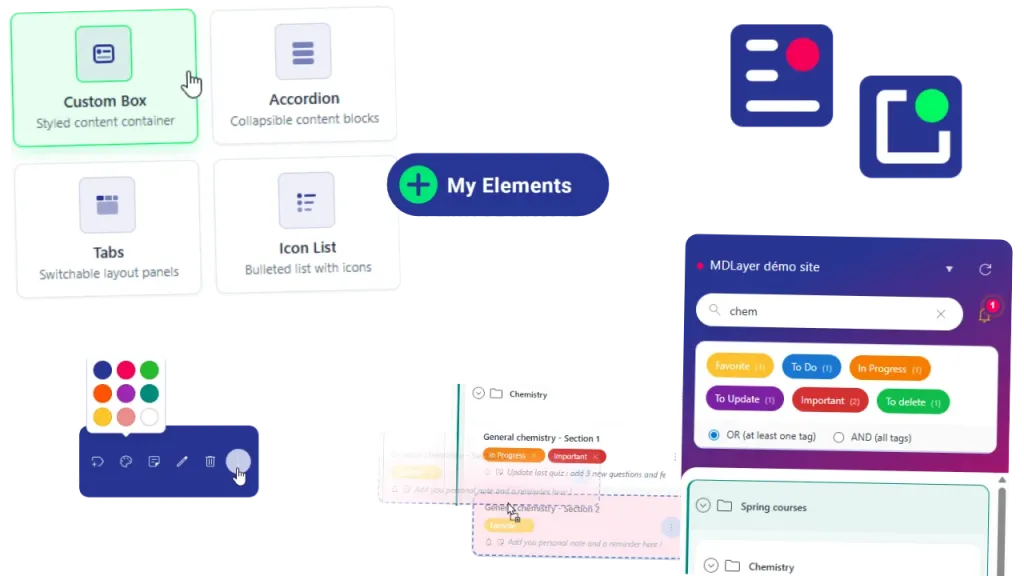
Install in your browser
Add it from the Chrome Web Store or other browser store. No server project.
No Moodle admin rights
You install it yourself. No ticket to IT required.
Your Moodle stays yours
Courses and platform settings stay on your institution’s site.
Privacy by design
Personal settings stay local. Course content is not sent to MDLayer servers.
What do you want to improve in Moodle today?
Pick the friction you feel most. Each tool is a browser layer you install yourself, with no admin rights and no change to your institution’s Moodle.
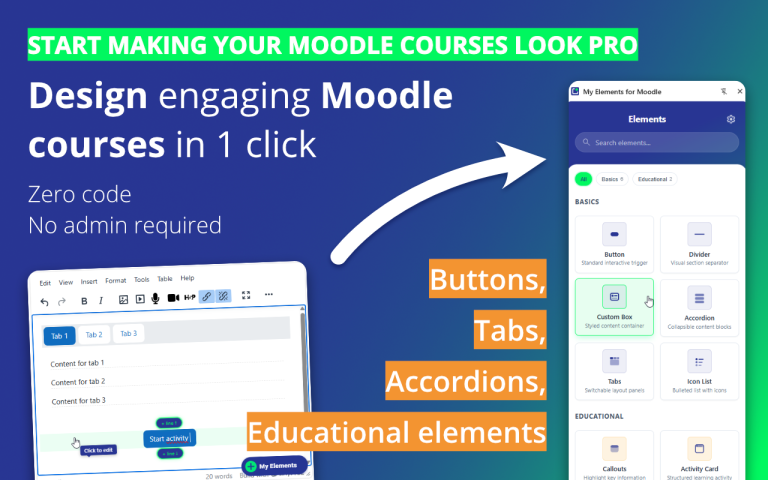
My Elements
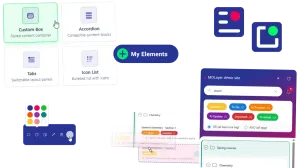
Turn plain course text into clearer, more engaging Moodle pages, without code.
- Buttons, tabs, accordions, callouts, activity cards, and more
- Works in Moodle’s standard editors (TinyMCE and Atto)
- Blocks follow your institution’s look
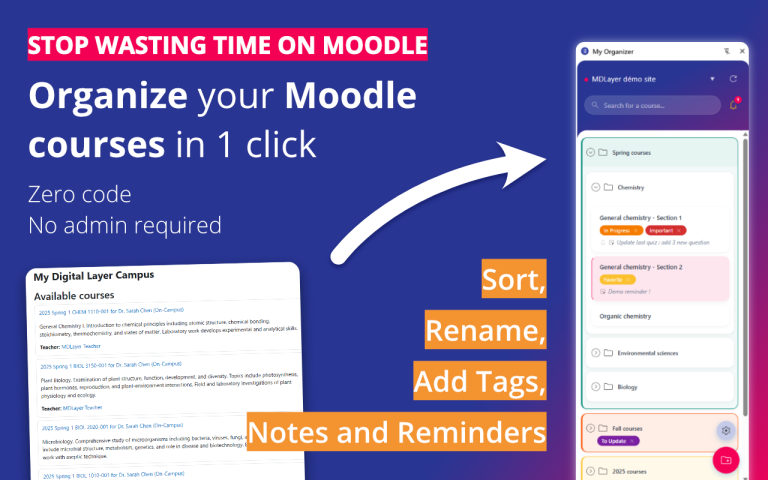
My CourseDesk
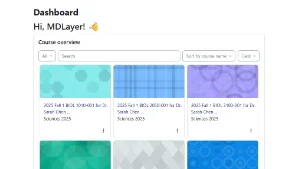
Clean up cluttered course lists and open the right Moodle course in one click.
- Folders, tags, colors, and rename for a personal course view
- Side panel with search: less scrolling every day
- Private notes and reminders tied to each course
Teaching in Moodle shouldn’t mean fighting the interface
Moodle gives you a solid place to run courses, share materials, and assess learning. Still, the daily work often piles up: too many clicks to reach what you need, long course lists that blur together, pages that stay plain when you want them clearer, and simple improvements that wait on someone else’s admin rights or technical knowledge.
MDLayer adds a comfort layer you control yourself, in your browser, on top of the Moodle you already use.
Course lists that slow you down
Active and old courses mixed together make every login heavier than it should be.
Pages that are hard to scan
Strong material still gets lost when everything looks like the same wall of text and links.
A browser layer, not a server plugin
Many Moodle improvements still depend on a server-side plugin: someone with admin rights evaluates risk, schedules install, and maintains it across updates. That path is right for institution-wide features. It is slower when you only need a better daily workflow for yourself.
MDLayer works the other way around. Each extension runs in your browser as a layer over the Moodle you already open. You try it, keep it, or remove it in a few clicks, without a rollout project and without changing how the campus LMS is hosted or secured.
Moodle pluging
Who installs
Usually IT or a site administrator
Where it runs
On the Moodle server
Effect on the platform
Adds code and settings on the LMS
MDLayer Extensions
Who installs
You, from your browser
Where it runs
In your browser session
Effect on the platform
Overlay only. The site install stays as IT left it
We don’t replace Moodle. We make the work you already do on it smoother.
Built from real teaching friction
Teachers and trainers already juggle courses, pages, and assessments on Moodle. These are the kinds of everyday snags MDLayer is built around.
Owen
Secondary teacher, 8 active courses + archives on the same dashboard
Owen lost time twice over: scrolling past last year’s courses, then decoding long institutional titles that all looked the same.
He keeps this term in a clear side-panel view, folds archives away, and renames courses with short labels he actually recognizes.
So opening the right class is one click, not a hunt.
Lina
University lecturer, solid material, course home that felt plain and hard to enter
Lina wanted the course home to look more intentional and give students a clearer and more attractive way into the week’s work.
She opens the page with an accordion: the first panel sets the scenario, the second states the learning objectives, and the rest lays out the path.
So the page feels more polished and the pedagogy is visible before students open a single file.
Up and running in minutes
MDLayer is made to feel useful fast, not like a project you need to plan first. Install one extension, open Moodle, and start with the part of your workflow you want to improve.
How to get started ?
Add the extension
Install the tool you need from the Chrome Web Store or other browser web store, and pin it to your browser for easy access.
Open Moodle and start normally
Go back to Moodle and work as you usually do. Browse courses with My CourseDesk, or start editing a page, label, or activity with My Elements.
Improve one friction point first
Import your course list into a clearer personal view, or insert your first structured block in the editor. Students see the result in Moodle automatically, and they do not need to install anything.
The first improvement takes minutes. The time you get back keeps paying off.
Safe for you, respectful of your institution

MDLayer works as a browser-side layer on standard Moodle, so teachers and trainers can improve their daily workflow without asking their institution to change the platform. The goal is simple: stay compatible with the Moodle environment you already use, while keeping institutional control where it belongs.
- Works with standard Moodle.
- Supports Chrome, Edge, Brave, Opera, and Vivaldi.
- My Elements works in TinyMCE and Atto.
- No admin rights and no server-side plugin required.
- No access to the Moodle database and no change to your institution’s Moodle installation.
- Organization data and extension settings stay local-first in the browser. Course content remains in Moodle.
- Privacy is handled with a by-design approach meant to reduce unnecessary data exposure, with fuller details in the FAQ and policy pages rather than heavy legal language on the homepage
Common questions about MDLayer
Who is MDLayer for?
MDLayer is built primarily for teachers and trainers. Students may benefit from clearer course pages, but they are not the main audience for the tools.
Do I need admin rights to use MDLayer?
No. MDLayer runs in your browser, so teachers and trainers can use it without asking their institution to change Moodle or install a server-side plugin.
Will this change my institution’s Moodle?
No. MDLayer adds a browser-side layer on top of Moodle without changing the platform, its settings, or its database.
Which browsers are supported?
Chrome, Edge, Brave, Opera, and Vivaldi. My Elements also works in TinyMCE and Atto.
How is this different from a Moodle plugin?
A Moodle plugin is installed on the institution’s server. MDLayer is installed by the person who uses it and works as a lighter browser-side layer.
Start with the friction that costs you the most time
Stop wasting energy on the part of Moodle that slows you down most. Choose the extension that fits your next move, compare plans, or read the details that matter before you install anything.